Font Dialog
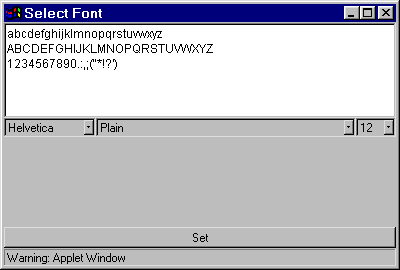
The Font Dialog contains four parts, as shown below:
|
Part |
Description |
|
Font Example |
This area displays an example of the currently selected font. |
|
Font Selection Drop Down List Box |
This allows you to select a different font. |
|
Font Type Drop Down List Box |
This allows you to select a different font type. |
|
Font Size Drop Down List Box |
This allows you to select a different font size. |
Click on the Set button to apply the new font to the current Message Window/Tree Control Display Area.